.avif)
.avif)

.svg)
.svg)

.svg)

© 2026 Little Bee Speech | Made with

by humans.

The smartest, most flexible assessment tool for evaluating articulation and phonology in children and adults with speech sound disorders.
.avif)

As SLPs, we understand how time-consuming it can be to assess speech sound disorders, write reports, and manage everything in between. But it doesn’t have to be!
Check out the overview video and how easy and efficient it is to administer, score a test and generate a report with Articulation Test Center Hive!


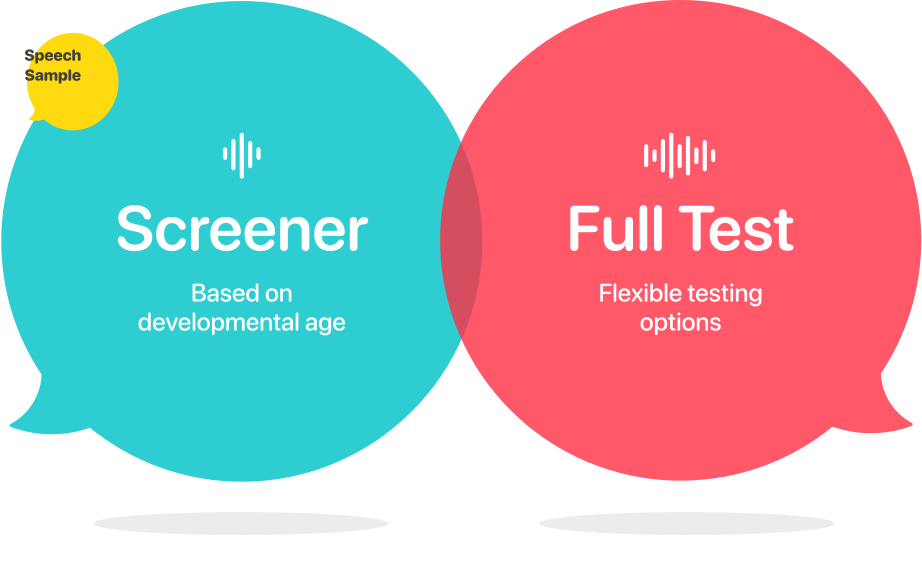

Age-Based Screeners
Vocalic Rs
Consonants
Initial Blends
Vowels
Speech Sample Scenes

Assess the sounds and words that are developmentally appropriate based on the age of your student.

Assess all speech sounds in the English language or test specific parts of speech with flexible testing options.

Tests are quickly administered, scored, and results delivered—complete with an auto-generated report—all in under 20 minutes. It’s efficiency at its best, so you can spend less time testing and more time treating.
Flexible and fun. Present the stimulus images to the child, tap record, and have them say the word.
You can score immediately or take your time to review the saved audio recordings later—giving you the flexibility to score when it works best for you.
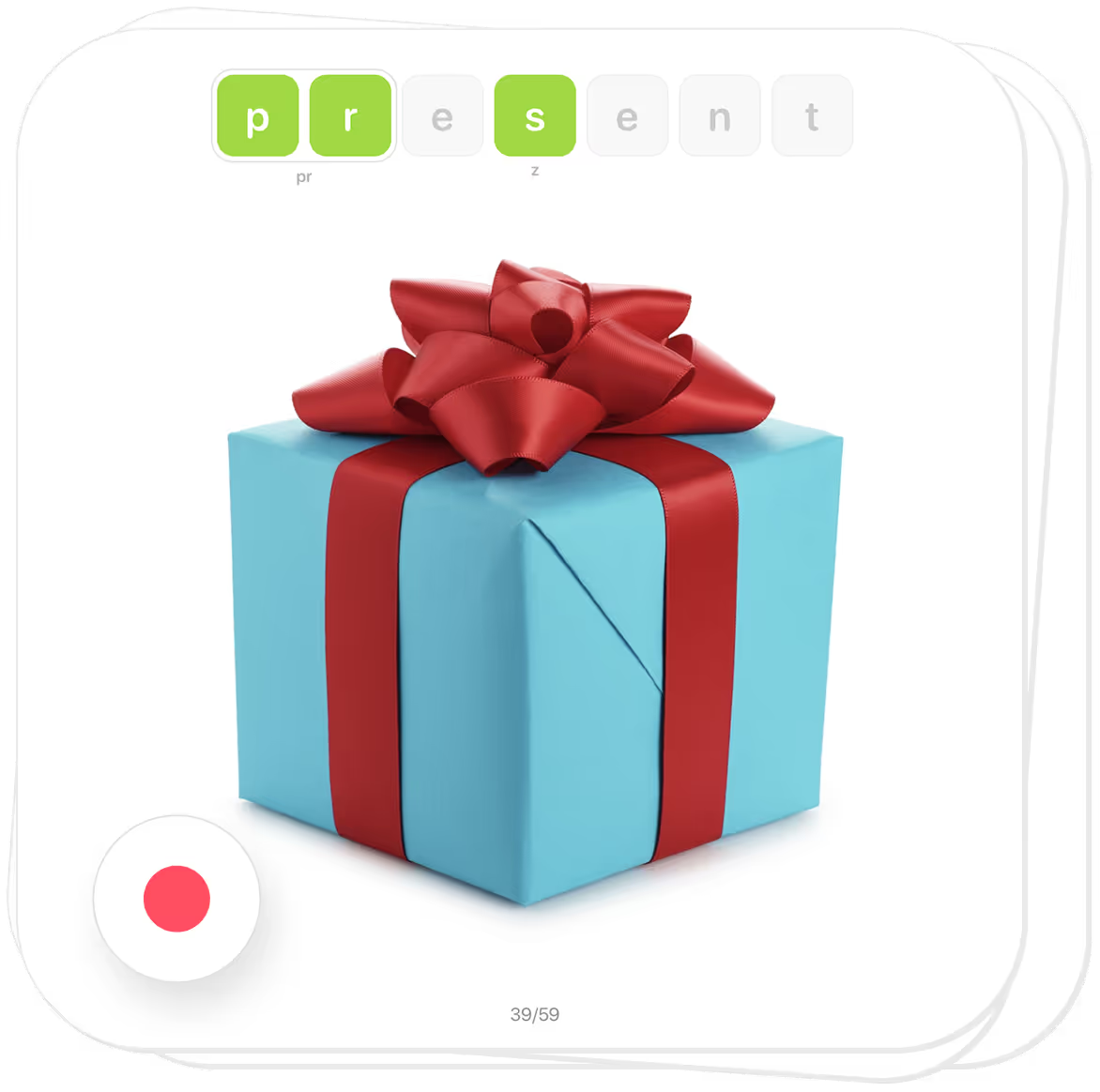
Beautiful and clear. Each stimulus image has been carefully selected, designed to clearly represent the sounds being tested.
These high-quality photographs of real-world objects, set against a clean white background, are simple, engaging, and easy for students to identify––making testing both effective and enjoyable.
.avif)
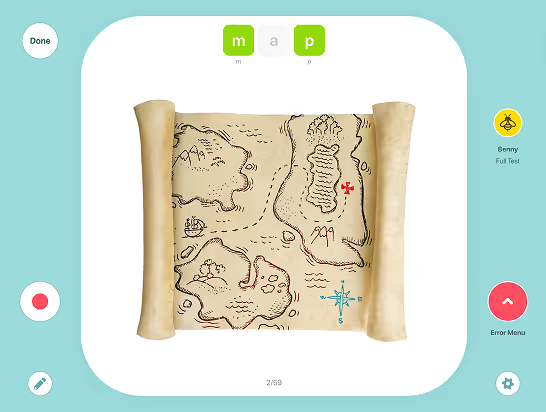
Simply tap. The sounds being evaluated are marked with clear, color-coded tiles at the top of each card.
By default, sounds tested are marked as correct with a green tile. If a sound is incorrect, a single tap will display it in red, while an additional tap marks an approximation in yellow.
This intuitive system makes scoring quick and easy!
.png)
Drag and drop. To mark an omission simply drag the tile off screen or tap the tile 3 times until the omitted icon appears.
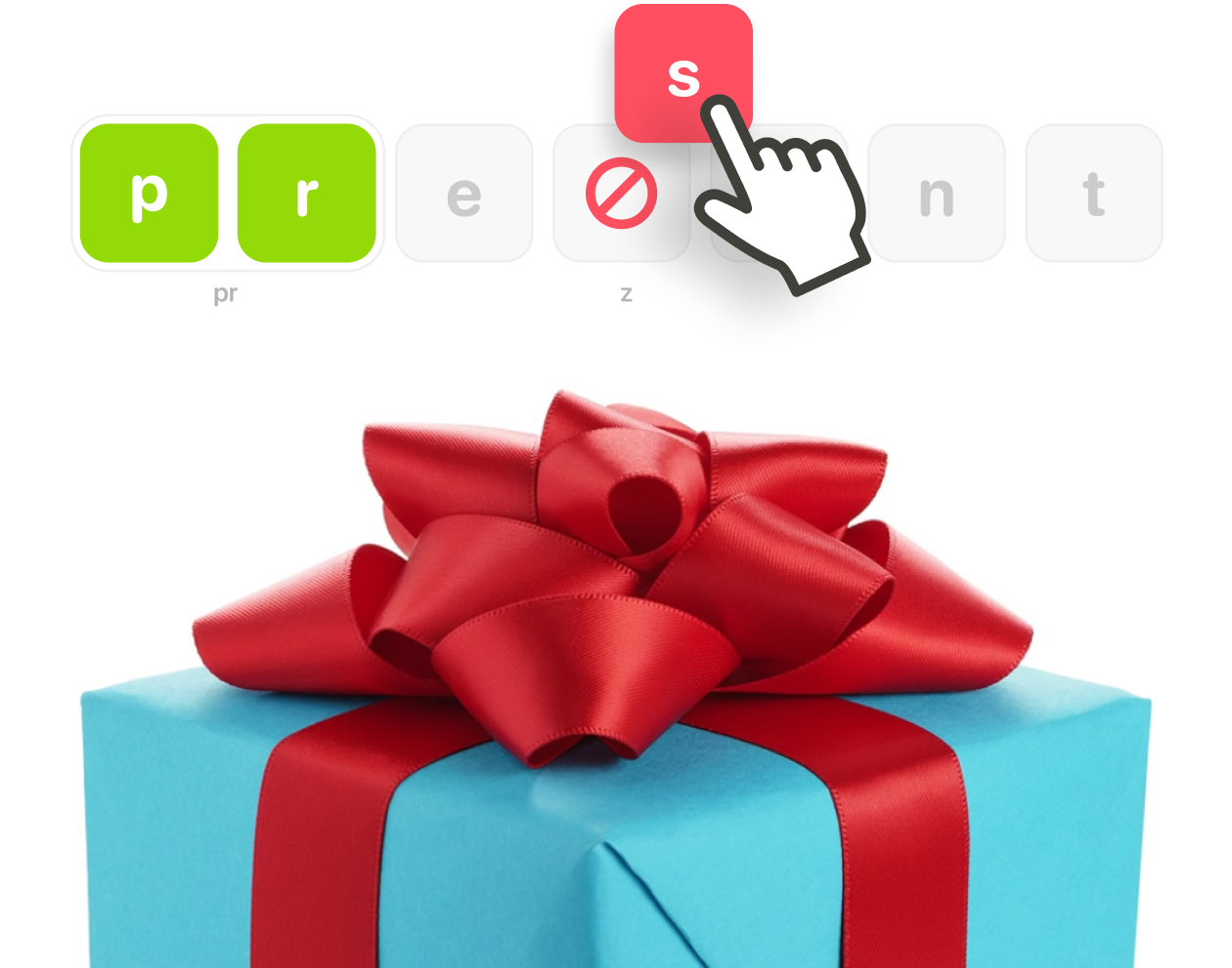
Quick and convenient. Marking substitutions, phonological processes or distortions is easy. From the Error Menu, select consonants, vowels, processes, or distortions.
To mark a substitution, simply drag the red sound tile from the Consonants or Vowels tabs and drop it on the green target sound.
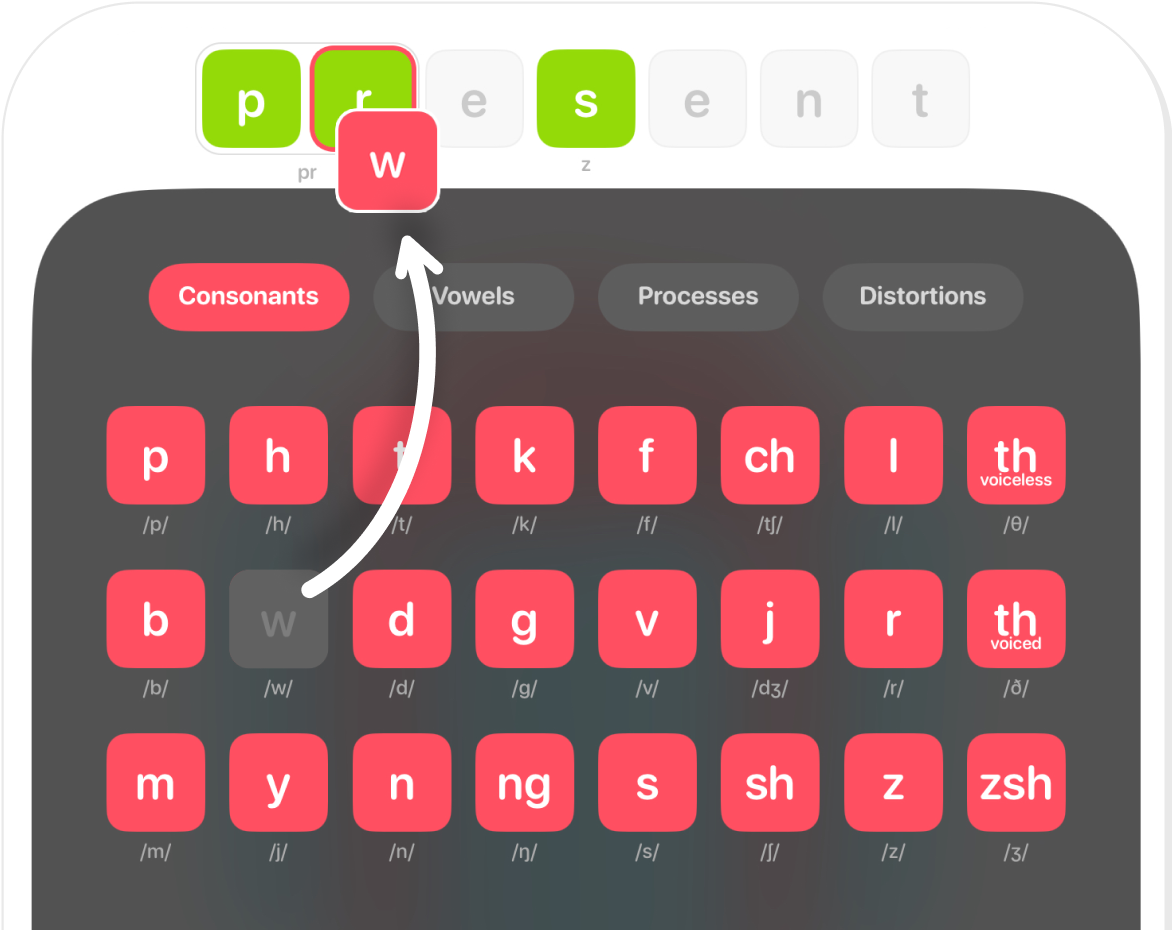
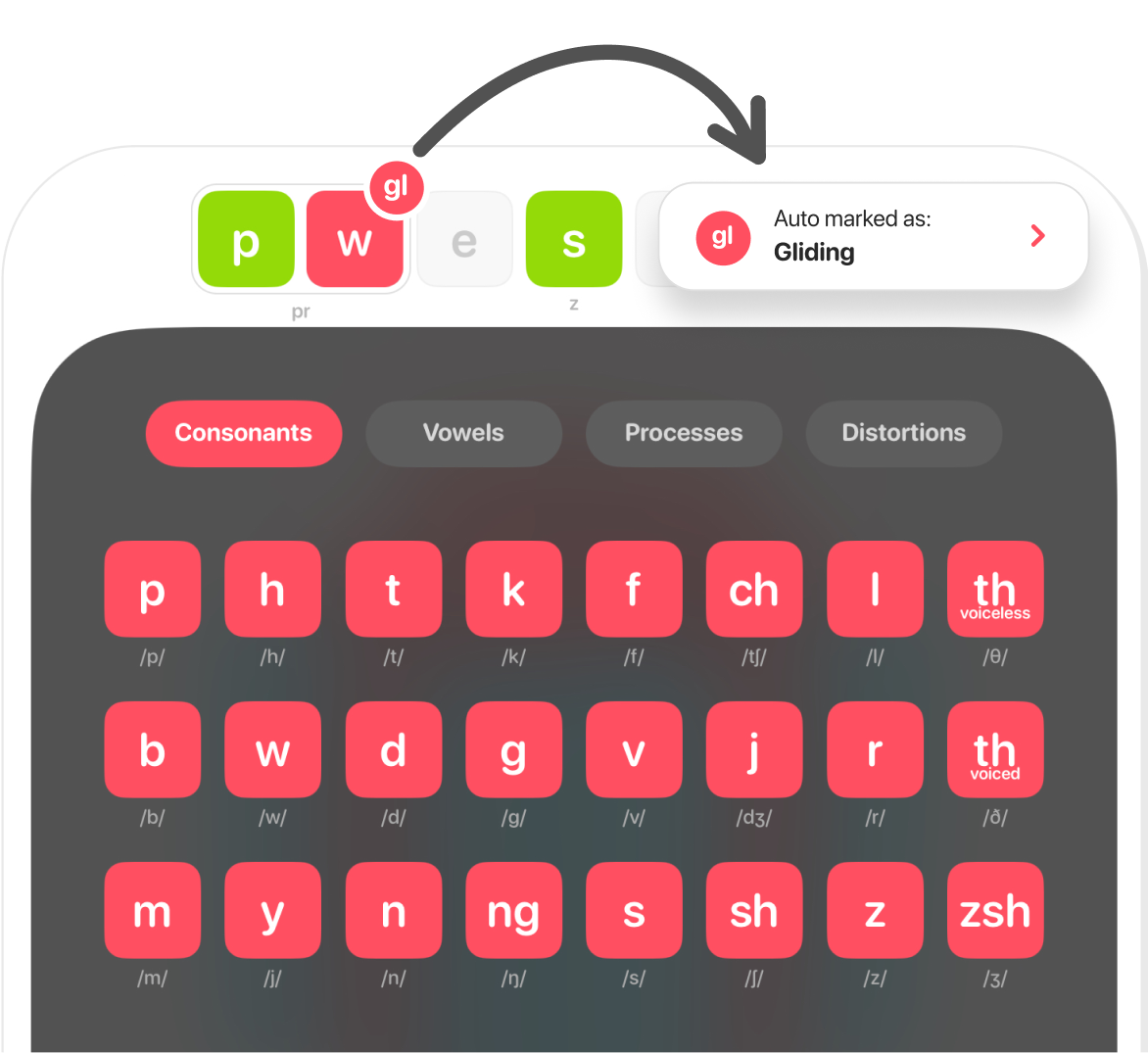
Hassle free. With auto-marking enabled, most phonological processes are automatically applied as substitutions or omissions are marked. However, you can also manually mark them by selecting a process and dragging it onto the relevant green sound tile.
The following phonological processes are marked automatically:
Backing
Labialization
Fronting
Denasalization
Stopping
Assimilation*
Affrication
Voicing
Deaffrication
Devoicing
Alveolarization
Initial Consonant Deletion
Depalatalization
Final Consonant Deletion
Gliding
Cluster Reduction
Vowelization
*Assimilation is marked automatically when a sound is substituted with another sound that appears in the word. However, it is not marked when the substitution is a sound that is similar to another sound in the word.

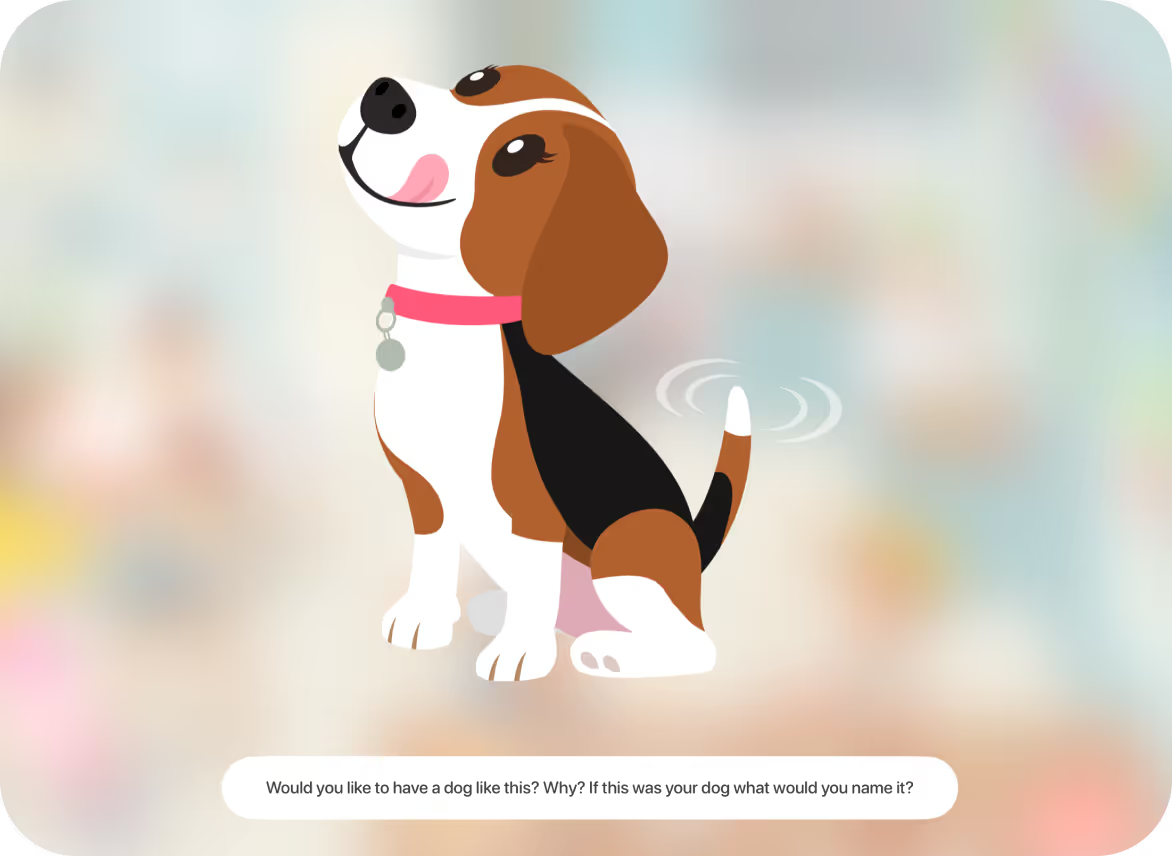
Interactive scenes designed to encourage conversation for assessing speech and language skills in connected speech.



With two engaging and interactive scenes, you can capture audio as the child explores and talks about the environment, allowing for further evaluation of intelligibility, articulation, language skills, MLU, and fluency.

Begin the day with a beautiful morning jeep ride into the mountains and end with roasting marshmallows by a cozy evening campfire. With an abundance of exciting scenes and images in these mountains your learner is going to have a lot to explore and talk about!
.avif)


Race home from school, play some of your favorite games, enjoy a delicious dinner, and get ready for the most exciting birthday bash of the year!
Your learners will love joining the Garcia family as they prepare for Mario’s 7th birthday, exploring their warm and welcoming home filled with fun, laughter, and party magic.
.avif)

Each scene has conversation prompts when an object is tapped to get your learners talking. Each interactive scene offers rich opportunities for conversation and assessment.

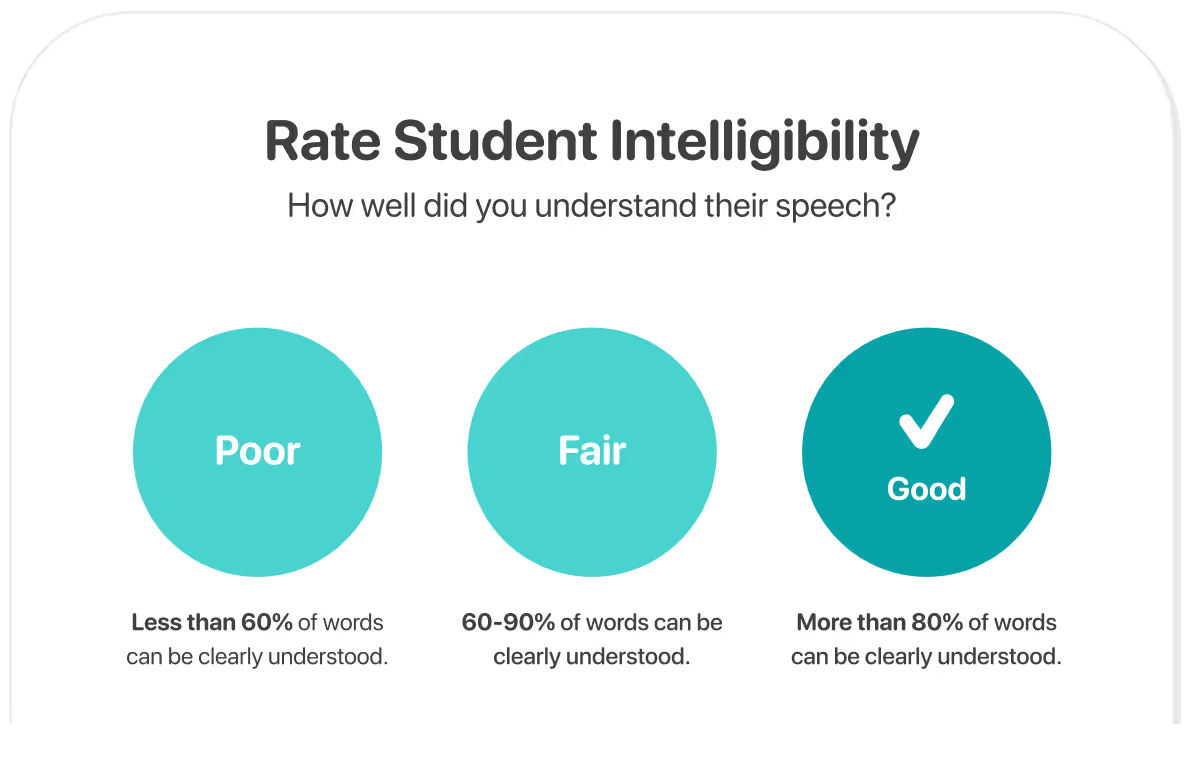
You will have an opportunity to rate the student’s intelligibility after each test and speech sample to track speech clarity and assess the presence and severity of speech delays.
The rating can be updated in the results by reviewing the speech sample recording and scoring each word as intelligible or unintelligibile for a more accurate measure of intelligibility.

For more information about how sounds are practiced at different levels, download our FREE GUIDE.
Free trial also includes Articulation Station Hive, a powerful tool for the treatment of articulation and phonology disorders.
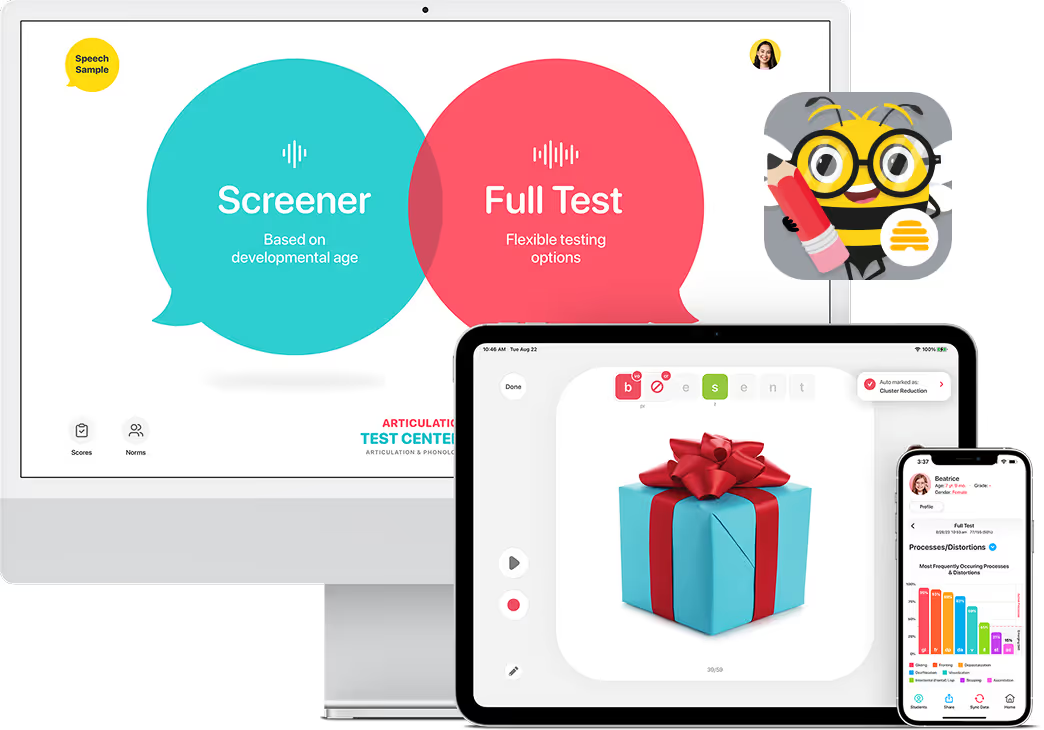

Articulation Test Center Hive provides clear, easy-to-read results that help track progress, set goals, and plan treatment—all in one place.
The score summary screen displays the student identifier, progress graphs for Percent Phonemes Correct and Intelligibility, and a comprehensive list of all administered tests, providing a clear overview of student performance.
Tap any test to access detailed sound error analysis, speech sample recordings, written reports, and practice recommendations.

The Words Tested screen displays all the tested words, their scores, and any marked phonological processes or distortions. You can listen to recordings, review notes, and easily make edits by returning to the test, ensuring accuracy and flexibility.

The Errors Marked screen provides a comprehensive view of all errors identified during the test, including sound errors, errors by place and manner of articulation, substitutions and omissions marked, and phonological processes and distortions marked.
Each error category is displayed on its own screen, offering more detailed information for a clear, thorough analysis.

Errors Marked
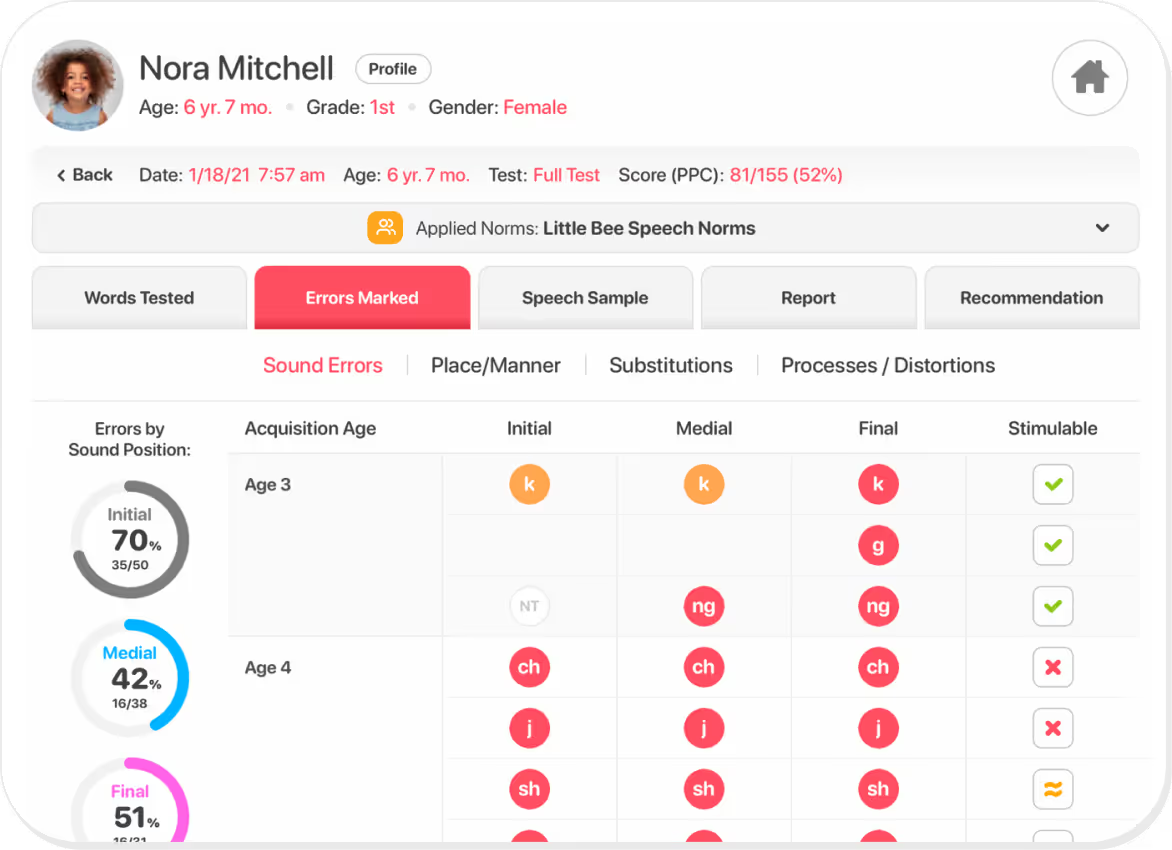
The Sound Errors screen displays all the sounds that were marked as “incorrect” in red circles and “approximate” in orange circles. Each incorrect/approximate error is reported based on sound position and age of acquisition.
On the left, sound errors are categorized by sound position. On the right, you can mark which sound errors are stimulable.
Errors Marked
The Place/Manner screen will display sound errors based on the place of articulation and on the manner of articulation. It will also display vowel errors by position and quadrant when tested.

Errors Marked
The Substitutions screen displays all the substitutions made and omissions marked for the sounds tested.

Errors Marked
The Processes & Distortions screen displays all the phonological processes and distortions marked in the test. It does this with a visual graph as well as a list of processes marked. Processes with a percent occurrence of 40% or more are considered active processes.

The Speech Sample screen has the audio recording taken from the speech sample scene activity, saved and available for playback.
The intelligibility rating can be updated and a transcription can be entered or viewed from this page.

The Report presents a detailed summary of the selected test results, including scores, error patterns, intelligibility ratings, and recommendations for practice, making it easy to track progress and share findings with parents or colleagues.
You can edit the summary section to include any details specific to the client.
When sharing the report, you also have the option to show or hide sections. Sometimes you may not need to send all the information, but everything is still there for you to reference when you need it!


Articulation Test Center Hive is packed with additional features that are designed to make speech assessments more flexible, more insightful, and more efficient than ever.

Add and manage customized normative data for speech sound acquisition.

Include case history and student goals within individual student profiles.

Update, archive, or delete student records.

Protect student privacy with initials-only display.

Track % Phonemes Correct, % Consonants Correct, and % Vowels Correct.

Access definitions, examples, and typical ages of elimination.

Mark speech sound errors for stimulability.

Update and track student intelligibility.

Move and share test results efficiently

Sort test results by date, age, test administered, score, intelligibility, and completion status.

Select and/or edit test results to be included in auto-generated reports.

Edit saved test results and recordings

Sync data seamlessly across multiple devices.

Sound errors and phonological processes considered delayed are recommended for practice.

Keep your testing environment fresh by selecting a background color that feels right for you or helps your student feel at ease during their assessment.
.avif)
.png)
.png)
.avif)
.avif)
.avif)
.avif)
.avif)
.avif)
.avif)
.avif)
.avif)
.avif)
.avif)

Articulation Test Center Hive is a criterion-referenced assessment tool developed based on current research regarding speech sound developmental norms, ensuring accurate and reliable results you can confidently rely on.
Speech Sound Norms
Intelligibility Ranges
Phonological Processes
Distortions
The speech sound norms, intelligibility ranges, and the ages at which phonological processes and distortions are typically eliminated are based on the research listed below.

Articulation Test Center Hive, released in 2024, is a completely rebuilt and expanded version of our original testing app, Articulation Test Center Pro Classic. It features updated technology and tools that make speech assessments faster, more flexible, and more powerful. Articulation Test Center Pro Classic, released in 2013, is no longer available for purchase, supported, or updated. For more details:
Yes. The Little Bee Hive membership includes access to both of our comprehensive iOS applications: Articulation Test Center Hive for assessment and Articulation Station Hive for treatment.
Articulation Test Center Hive is a criterion-referenced assessment, not a standardized test. It was developed by speech-language pathologists to supplement standardized assessments and provide valuable insight into an individual’s speech production by measuring performance against normative data reported in the research. All supporting research is cited within the app and in the emailed results. At this time, we do not plan to standardize the assessments.
Articulation Test Center Hive includes four screeners and a flexible full test. Each can typically be administered in about five minutes or less by recording productions and scoring them later. Actual test time may vary depending on the child’s attention, the number of speech errors, and whether scoring is completed during the session or afterward using the audio recordings.
Articulation Test Center Hive can be administered to individuals from age two through adulthood, thanks to its flexible testing options, which include four age-based screeners and a comprehensive full test. The screeners are designed for ages 2, 3, 4, and 5 and older. The full test assesses all speech sounds—including consonants, vowels, R sounds, and initial consonant clusters. Full-color photo prompts make the test engaging and appropriate for all ages.
The Full Test in Articulation Test Center Hive includes 155 phonemes and provides a total score that reflects an individual’s overall articulation proficiency. This score represents the percentage of correctly produced phonemes across a wide range of speech sounds, including vowels, consonants, consonant clusters, and vocalic R sounds. For more details:
What is the Total Score (155) in the Full Test in Articulation Test Center Hive Measuring?
Yes! You can try Articulation Test Center Hive free for 14 days when you download it from the App Store and sign up for your free trial of the Little Bee Hive membership.
No. Articulation Test Center Hive is only available through a monthly or yearly Little Bee Hive membership, not as a one-time purchase.
Yes. Each Little Bee Hive membership allows you to log in to either Articulation Station Hive or Articulation Test Center Hive on up to three devices. Only one device can be used at a time, so you’ll need to close the app on one device before opening it on another. Click the link below for more information.
No. Articulation Station Hive is only available for iPhone, iPad, and Silicon Macs (released after 2020).
Yes! The extended group trial provides free access for 30 days to the Little Bee Hive pro membership, which includes our professional tools for assessing and treating speech sound disorders: Articulation Test Center Hive (assessment) and Articulation Station Hive (treatment). Click the link below to sign your group up for a free trial.
Yes! Discount pricing is available for groups of 25 or more. For more information on group pricing see Little Bee Hive Membership Pricing.
Yes. We accept purchase orders and other forms of payment, including credit card, direct deposit and checks. Click the link below to get more information on additional payment options.
Yes! Little Bee Hive applications (Articulation Test Center Hive and Articulation Station Hive) can be downloaded using an MDM. They do not require in-app purchases. Simply download the applications and deploy them via your MDM for free, then contact us at sales@littlebeespeech.com to get your account logins.
Share our Little Bee Hive information packet with your supervisor. It includes everything they need to make an informed decision. Let them know we offer free 30-day group trials with no obligation to purchase.
Yes! The Little Bee Hive University Program offers clinic supervisors and graduate students free access to the Little Bee Hive membership, which includes our iOS tools for assessing and treating speech sound disorders: Articulation Test Center Hive and Articulation Station Hive. Click below for more details:
.avif)
The free trial also includes Articulation Station Hive, a powerful treatment solution for articulation and phonological disorders.
.png)